
How to read your eBook
Your eBook is an encrypted PDF file that you can read with the free PDF reader Javelin. Follow the instructions below to download and activate your eBook.
-
Download the Javelin reader
Choose the version for your device:
-
Install Javelin
On Windows and macOS, unzip the downloaded file and run the installer or the app it contains. On Android, iPhone, and iPad, the store installs the app for you.
-
Open Javelin
-
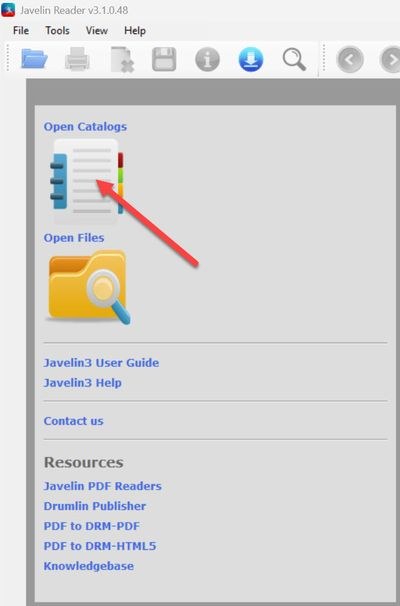
Click the Open Catalogs icon at the top left
-
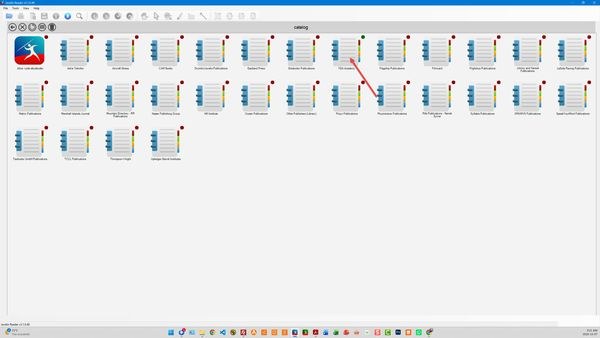
Choose the FEA Academy catalog
-
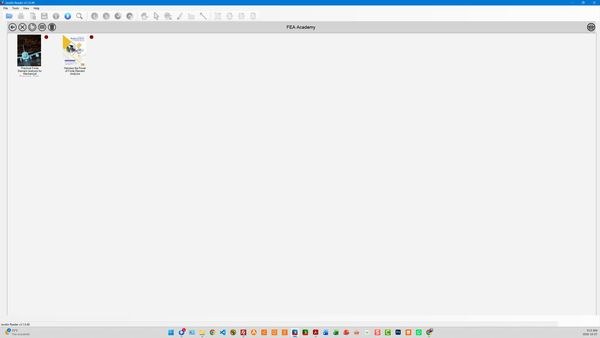
Choose the book you purchased
-
Accept the download
-
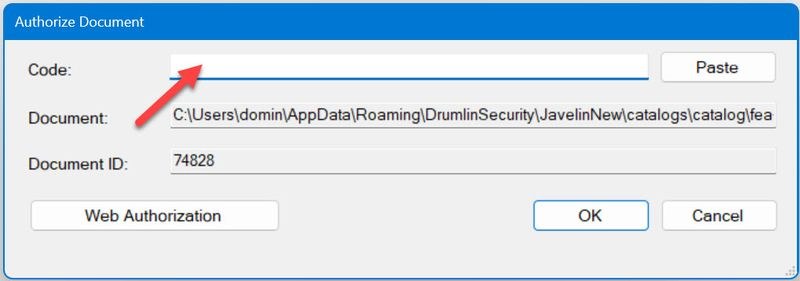
Enter your activation key
In the Code field, enter the activation key you received in your purchase email, then click OK.
-
Read your eBook
Your eBook is now ready to read. Note that your license is valid for activation on two devices.