
Contact lets several bodies of an assembly interact without adding elements to the model, but it brings significant computational complexity and many parameters to manage. This Book Byte explains what contact is, why contact problems are hard to solve, the strategy finite element algorithms use, the types of contact and interaction, and how contact is detected.
What is contact?
- Contact defines how parts interact.
- It is typically used to understand the behavior and load transfer within an assembly.
- It allows multiple bodies to interact without the need to add elements to the model.
- It models more realistic behaviors.
- It can be costly, creating significant computational complexity in a model.
- Numerous parameters must be managed.
- By default, FEA software does not assume any contact between the bodies of a model.
It is the user who must specify where contact occurs. Contact is not a default condition because it significantly influences computational time.
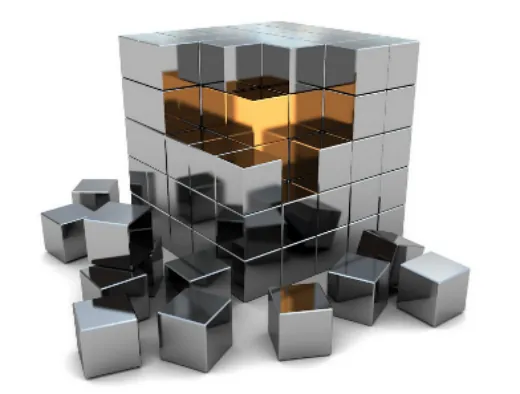
Contact parameters and the role of the analyst
- A large variety of contact types and parameters exist, and the FEA analyst must specify and control them.
- In most cases, the default parameters of the FEA software are sufficient, but the analyst must understand the role of each contact parameter.
- Small parameter changes can cause large changes in the system response, so it is important to conduct robustness studies.
In any case, the most important factor for an accurate contact solution is the expertise of the FEA analyst applying the contact conditions. Before using contacts in a real problem, I suggest that you run sensitivity studies with simple models to understand the influence of the contact parameters available in your FEA software.
A boundary nonlinearity
Contact problems require a particular treatment by finite element algorithms. Contact is a boundary nonlinearity, in which one body cannot penetrate another. When two bodies come into contact, both the displacements and the contact forces at the interface are unknown.
The objectives of a contact analysis are to:
- Determine whether two bodies are in contact
- Determine the region of contact
- Compute the contact forces or pressure at the interface
- Determine whether there is relative motion between the parts after contact

Contact problems are difficult to solve for three reasons:
- The boundary is unknown.
- Contact forces exhibit abrupt changes.
- The boundary is discrete.
The contact strategy
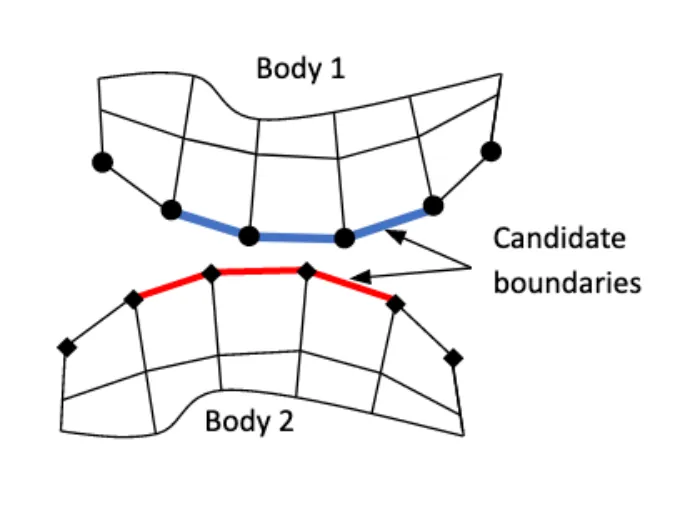
Step 1: the FEA analyst defines the candidate boundaries on the two bodies that may come into contact, as well as the type of constraints.
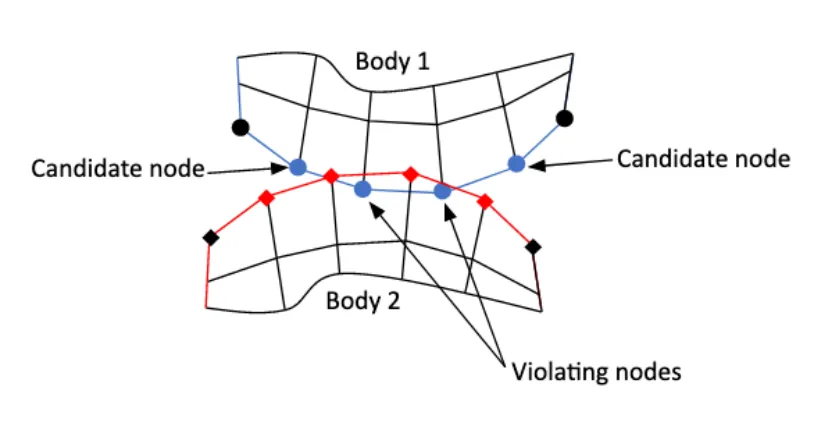
Step 2: the finite element algorithm detects penetration by searching for the nodes or segments that violate the contact constraint.
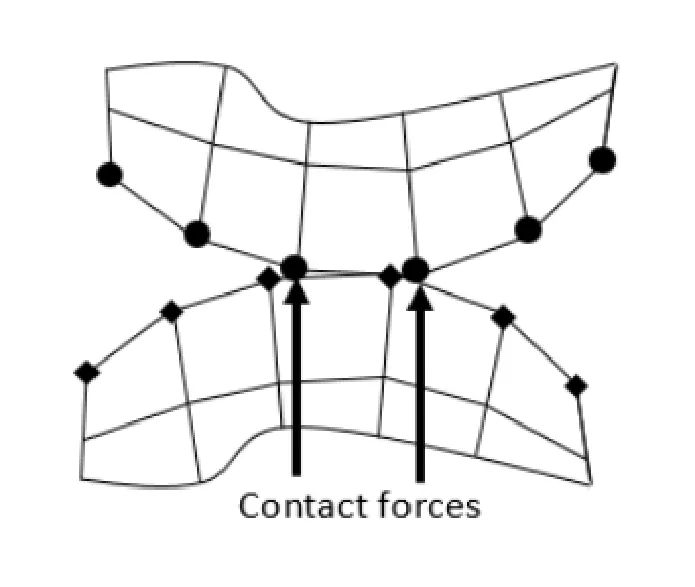
Step 3: to correct the penetration, the finite element algorithm applies forces, called contact forces, at the violating nodes or segments.
Linear or nonlinear?
Contact is a rough boundary nonlinearity, due to the discontinuous contact force and the unknown contact region. Both the force and the displacement on the contact boundary are unknown, and a contact search is necessary at each iteration.
| Linear solver | Nonlinear solver | |
|---|---|---|
| Interaction between bodies | Yes | Yes |
| Friction effects | No | Yes |
| Large displacements | No | Yes |
| Stiffness matrix update | No | Yes |
| Material behavior | Linear elastic | Nonlinear |
Types of contact
Contact definition
Contact defines how bodies interact in an assembly. General contact covers the following conditions:
- Two bonded bodies that cannot move relative to each other
- One body that can slide relative to another
- Two bodies that can separate from each other
These conditions are determined with an iterative procedure and are compatible with both linear and nonlinear solvers. The same model can be used in linear and nonlinear analyses: it can simply be switched between solvers, without redefining the contact control parameters.

General contact offers the following capabilities:
- Contact can be defined between bodies with non-coincident meshes.
- Contact nodes can separate from each other.
- Contact can be defined between multiple bodies.
- The contact algorithm can be used to join dissimilar meshes.
- Both deformable-deformable and deformable-rigid contacts are allowed.
- Friction is allowed (a nonlinear solver is required).
Types of interaction: glued and touching contact
Two types of interaction between two bodies are available in FEA software: glued contact and touching contact.
Glued contact:
- Fixes two bodies together at the contact surface.
- The two bodies do not need the same mesh on both sides, which makes it a good solution for joining bodies with completely different mesh sizes.
- If the stress in the contact exceeds a given value, the contact can be released (simulating bonding separation).
- The elements in the contact region remain welded, regardless of what happens in the surrounding structure, so glued contact should not be used where the joint forces and stresses are of interest.
- It is a good option for attaching a local model to a global one, or for quick assembly modeling.
- Glued contact can also be defined after two parts come together.
Touching contact:
- The bodies can move relative to one another, with the condition that one body cannot penetrate the other.
- The analyst must manage several numerical parameters to ensure the solver computes the problem successfully.
- It comes at the cost of a much longer analysis time.
| Contact | Normal direction | Tangential direction | Friction | Remark |
|---|---|---|---|---|
| Bonded or weld (glued) | Cannot separate | Cannot slide | N/A | The defined geometry acts like one body. |
| Rough (glued) | Can separate | Cannot slide | N/A | The bodies cannot translate or rotate relative to each other. |
| No separation (touching) | Cannot separate | Can slide | No, μ = 0 | Once contact is detected, the surfaces are tied for the rest of the analysis. |
| Frictionless (touching) | Can separate | Can slide | No, μ = 0 | The contact pair can slide and separate. |
| Frictional (touching) | Can separate | Can slide | Yes, μ constant | Sliding occurs when Fsliding > Ffriction; the coefficient of friction μ affects the tangential motion. |
Types of contact body
The following body combinations can be considered in a contact interaction:
- Deformable-deformable contact: the two bodies have similar stiffness, and both can deform.
- Deformable-rigid contact: one body is significantly stiffer than the other. The stiffer body can be considered rigid: it does not deform, but it can move.
Analysis procedure: contact detection
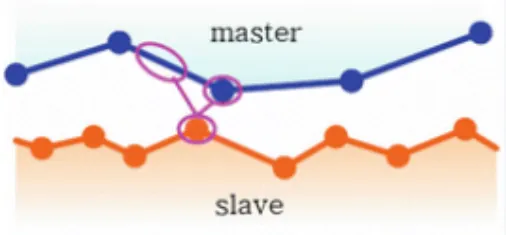
An algorithm determines which nodes and segments define the boundaries of the deformable bodies. A contact algorithm then detects the nodes coming into contact, generates the appropriate constraints and ensures that no penetration occurs.
FEA software usually offers two contact search methods:
- Node-to-segment contact (also called node-to-surface)
- Segment-to-segment contact (also called surface-to-surface)

Go further
This Book Byte is taken from Chapter 14 of Practical Finite Element Analysis for Mechanical Engineers by Dominique Madier. The topic is covered in depth, with worked examples, in the on-demand course Practical Nonlinear FEA.
See the Practical Nonlinear FEA course Take the free FEA diagnostic