
To conduct a correct structural analysis, you need to understand how parts interact and transfer load through bolted joints. This Book Byte covers typical bolt behaviors, how to decide whether you need to model each bolt, the three common modeling approaches (rigid, discrete spring and beam elements) with their advantages and limits, and how to connect the fastener elements to the surrounding mesh.

Typical bolt behaviors
Large structures generally carry large in-service forces, which make bolted joints deform to accommodate the transferred load. The behavior of bolted joints is very complex, because fasteners experience different types of loading. Shear-loaded joints are subjected to:
- Primary bending: due to a bending moment applied at the ends of the joined parts.
- Secondary bending: due to a tensile or compressive force acting in different planes (eccentricity).
- Local bending of the fastener: bending of the fastener due to opposite shear loads.


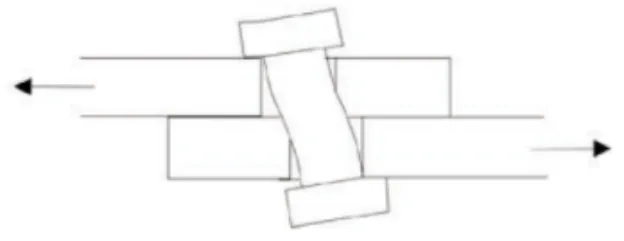
Bolted joints are difficult to analyze because many parameters and complex phenomena are involved:
- Plate bending
- Fastener bending
- Bolt hole deformation
- Friction
- Preload
- Contact
It is impossible to consider all these parameters in the structural analysis of a bolted joint. The problem must be reduced by making assumptions and applying modeling rules.
Do you really need to model the bolts?
When you include a bolted joint in your FEM, ask and answer these three questions:
- Do I want to capture the load transfer through the joint?
- Do I want to account for the preload?
- Do I have to analyze the bolt?
If the answer is yes, you must model the bolts (detailed FEM, or DFEM, approach). If the answer is no, join the parts with a node-to-node approach (global FEM, or GFEM, approach).
When the design of the structure is mature, modeling each bolt lets you accurately answer the following questions:
- Will the parts remain assembled when subjected to the external loads?
- What will break first, the bolt or the connected parts?
- Can the joined parts sustain a repeated load (fatigue)?

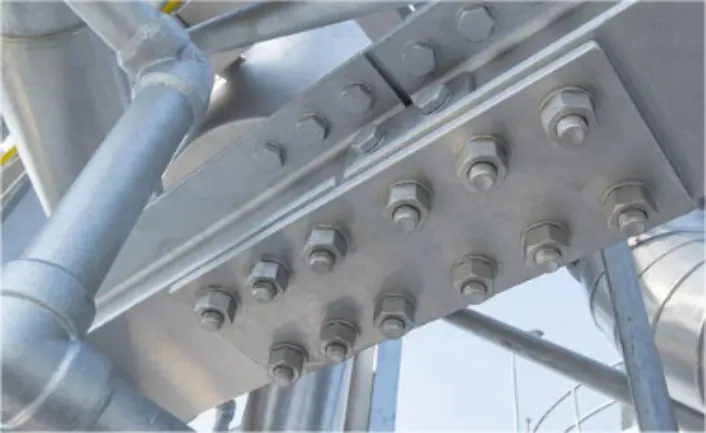
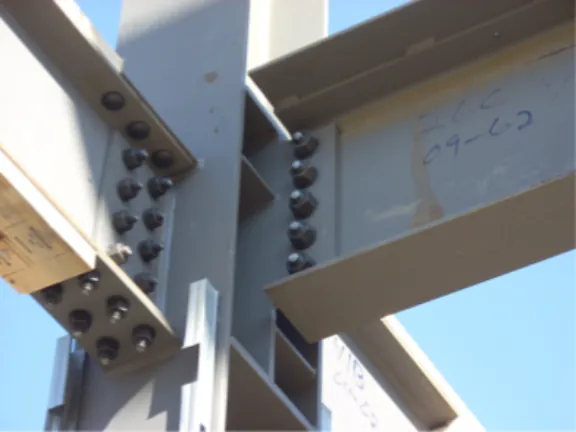
FE modeling approaches for bolted joints
The common techniques used to model bolts in an FEA are:
- Rigid elements
- Discrete spring elements
- Beam elements
- A combination of rigid elements, discrete springs and beams (known as the Rutman approach)
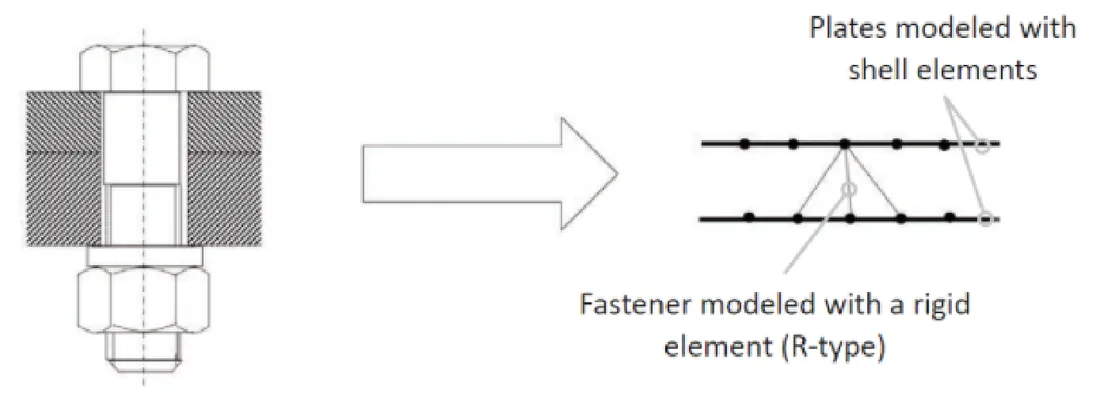
Bolts modeled with rigid elements
This technique represents fasteners as rigid links of infinite stiffness, using RBE2 elements (Nastran), CERIG (Ansys) or kinematic coupling (Abaqus).
Advantages:
- The analyst does not need to know the properties of the fastener (diameter, material, and so on).
- No stiffness calculation is required for the fastener.
- The analyst can choose the transferred degrees of freedom.
Disadvantages:
- The stiffness of the fasteners is highly overestimated compared to their real stiffness.
- Consequently, the displacement of the fasteners, and the bearing behavior around them, will be incorrect.
Use this technique if you want to capture a local effect far from the joint but need to connect two parts to have a load path. Don't use it if you must accurately capture the joint displacements or loads. Keep in mind that 75% of a joint's overall displacement is a direct result of the fastener's displacement.
Bolts modeled with discrete spring elements
This is one of the most widely used methods for modeling bolted joints.
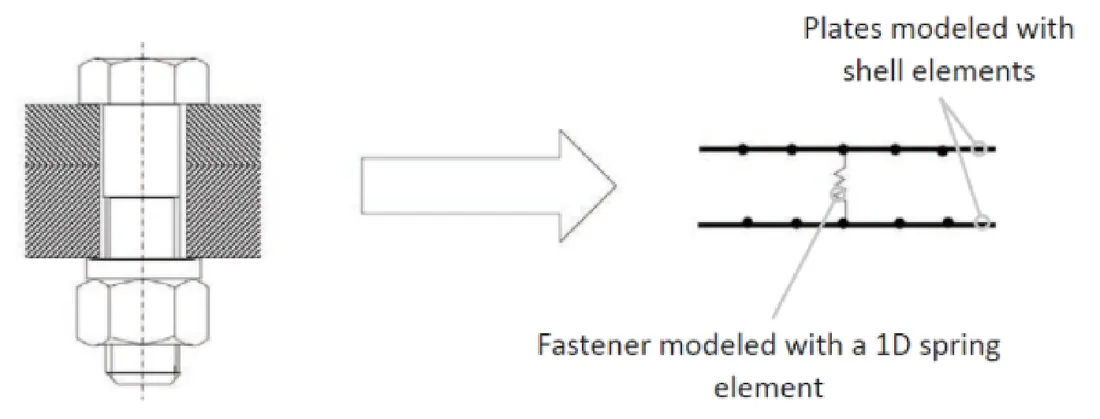
- The discrete spring element is a 1D element with six degrees of freedom, corresponding to the bolt's capabilities: axial, shear (in two directions), bending (in two planes) and torsion (usually very low).
- The spring element is located at the exact position of the fastener.
- It joins two nodes, one on each of the parts to be attached. The stiffness of each degree of freedom is calculated using semi-empirical relationships.
Advantages:
- The technique is accurate and gives representative results, because the correct fastener stiffness is represented.
- The deflection of the fastener is properly captured.
Disadvantages:
- The analyst has to calculate the stiffness of each fastener.
- The mesh of the connected parts must be adjusted so the spring element connects realistically.
Use this technique if you want to capture the load transfer through a joint. Don't use it if you don't know the mechanical properties and diameter of the bolt, because you won't be able to calculate the stiffnesses.
Bolts modeled with beam elements
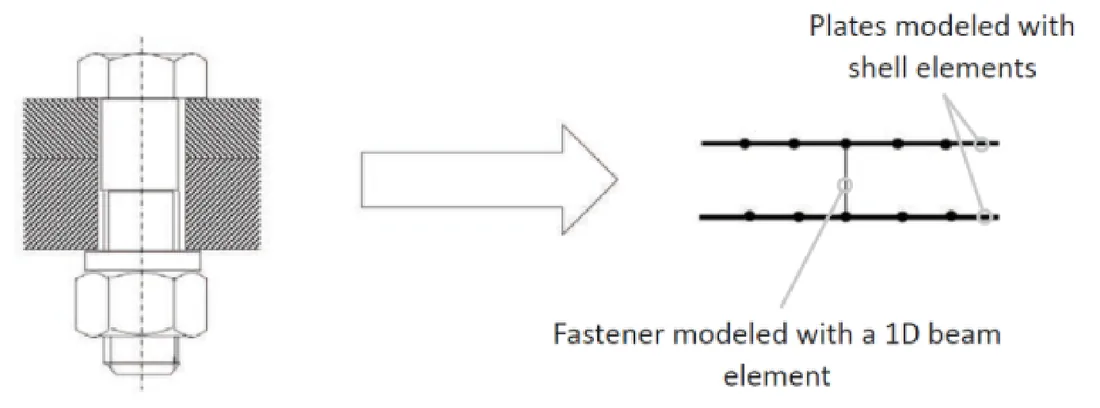
- A fastener can be modeled with a beam element connecting two nodes, with six degrees of freedom per node, one node on each of the parts to be joined.
- As with the spring element, the beam element is located at the exact position of the fastener.
- The two nodes on each component must be perfectly aligned with the position of the fastener.
Advantages:
- The correct fastener stiffness is represented.
- The deflection of the fastener is properly captured.
- The analyst does not need to calculate the fastener stiffness.
Disadvantage:
- The mesh of the connected parts must be adjusted so the beam element connects realistically.
Use this technique if you want to capture the load transfer through a joint. Don't use it if you don't know the mechanical properties and diameter of the bolt, because you won't be able to define the beam element.
How to connect fastener elements to the surrounding mesh
When the hole is modeled
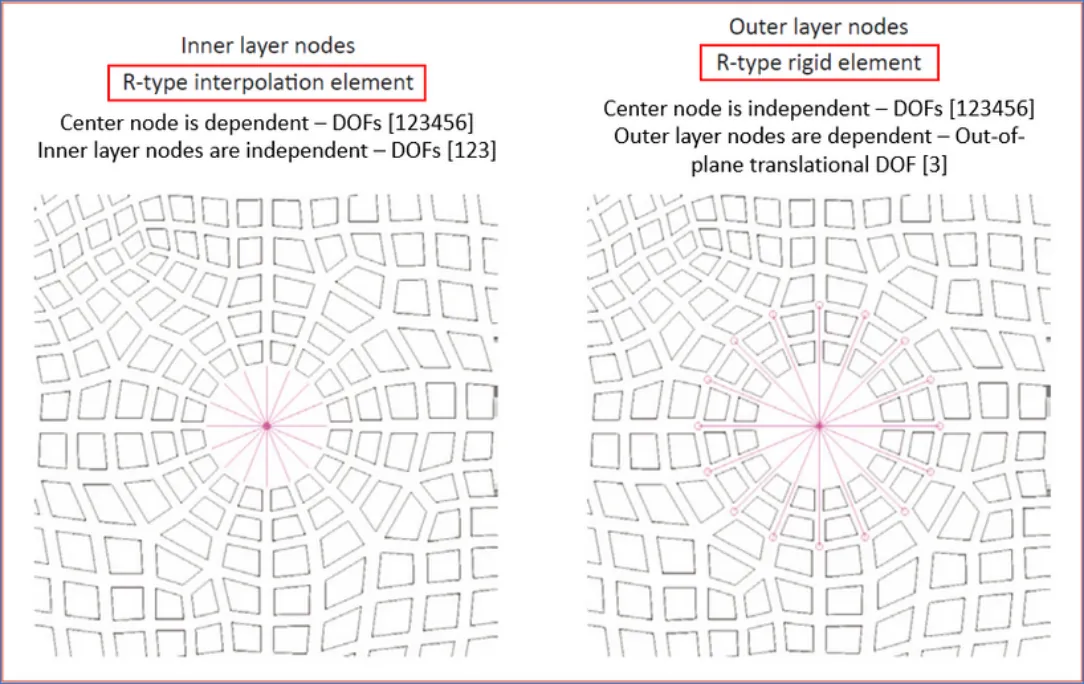
The 1D fastener element is connected to the holes using RBEs, in two layers around each hole:
- Inner layer nodes: an R-type interpolation element. The center node is dependent (DOFs 123456); the inner layer nodes are independent (DOFs 123).
- Outer layer nodes: an R-type rigid element. The center node is independent (DOFs 123456); the outer layer nodes are dependent on the out-of-plane translational DOF (3).
| RBE type | Behavior | Layer | Nastran | Ansys | Abaqus |
|---|---|---|---|---|---|
| Interpolation element | Compliant (no stiffness) | Inner layer | RBE3 | RBE3 | Distributing coupling |
| Rigid element | Infinite stiffness | Outer layer | RBE2 | CERIG | Kinematic coupling |
When the hole is not modeled
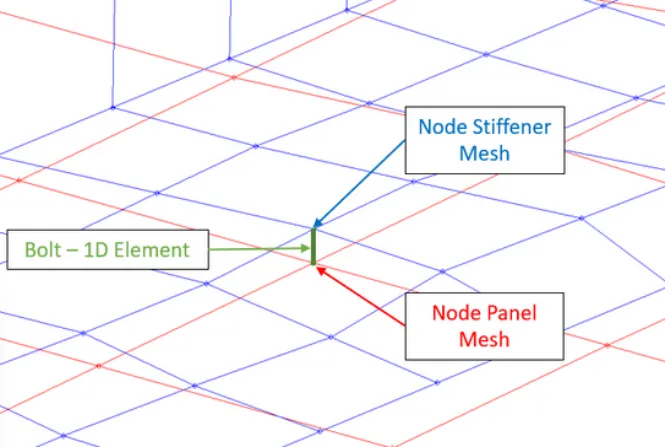
Method 1: a 1D element connecting congruent nodes. The bolt element directly connects a node of the stiffener mesh to a node of the panel mesh.
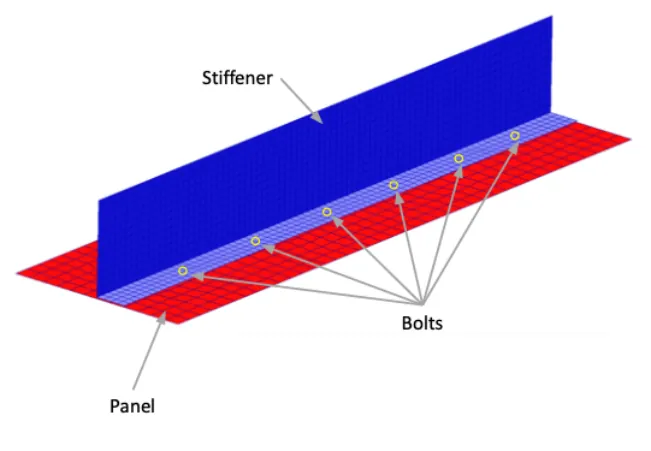
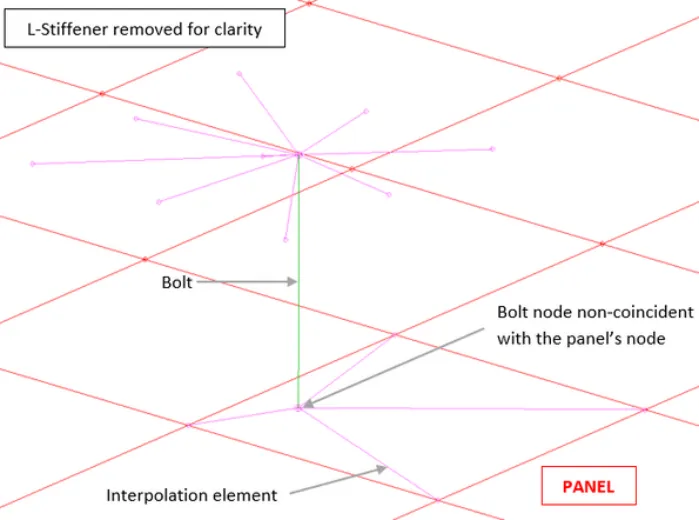
Method 2: a 1D element connected with interpolation elements (non-congruent nodes). The bolt nodes do not coincide with the mesh nodes of the panel or stiffener; interpolation elements distribute the bolt load to the surrounding nodes.

Go further
This Book Byte is taken from Chapter 13 of Practical Finite Element Analysis for Mechanical Engineers by Dominique Madier. The topic is covered in depth, with worked examples, in the on-demand course Practical Basic FEA.
See the Practical Basic FEA course Take the free FEA diagnostic