
The mesh turns a continuous structure into a finite set of equations a computer can solve, and its quality decides whether your results can be trusted. This Book Byte covers how to plan the meshing, why and how to refine a mesh, how to run a convergence study, the main 2D and 3D meshing rules, and the two rules to follow for mesh transitions.

Why do we mesh?
Reality: a continuous system subjected to continuous phenomena.
- Infinite number of points
- 3 translations and 3 rotations per point
- Infinite number of equations
- Governed by partial differential equations: cannot be solved by a computer
Model: a discrete system.
- Finite number of nodes
- 3 translations and 3 rotations per node
- Finite number of equations
- Governed by matrix equations: can be solved by a computer

Plan the meshing
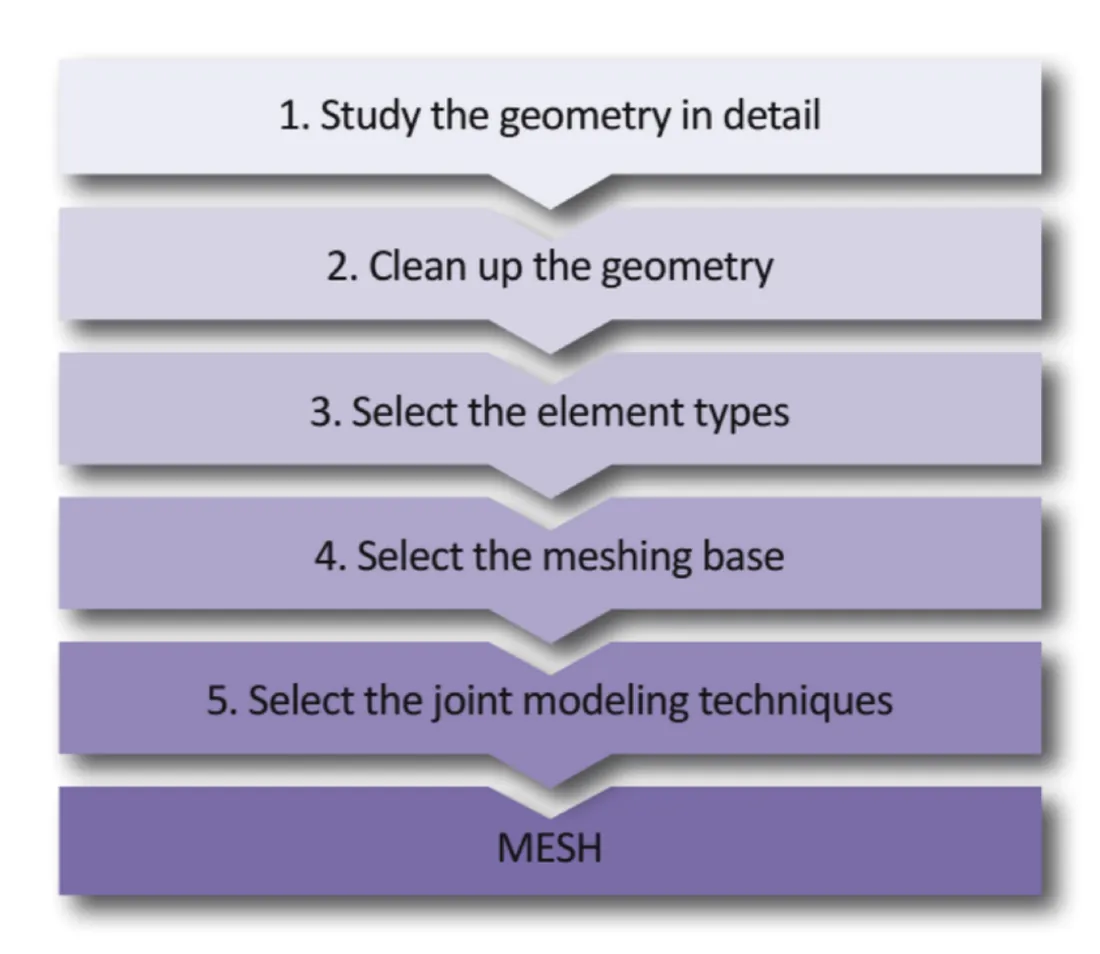
- Study the geometry in detail.
- Clean up the geometry.
- Select the element types.
- Select the meshing base.
- Select the joint modeling techniques.
Then mesh. Each step is detailed in Chapter 8 of the book.
Mesh refinement
Advantages and disadvantages of mesh refinement
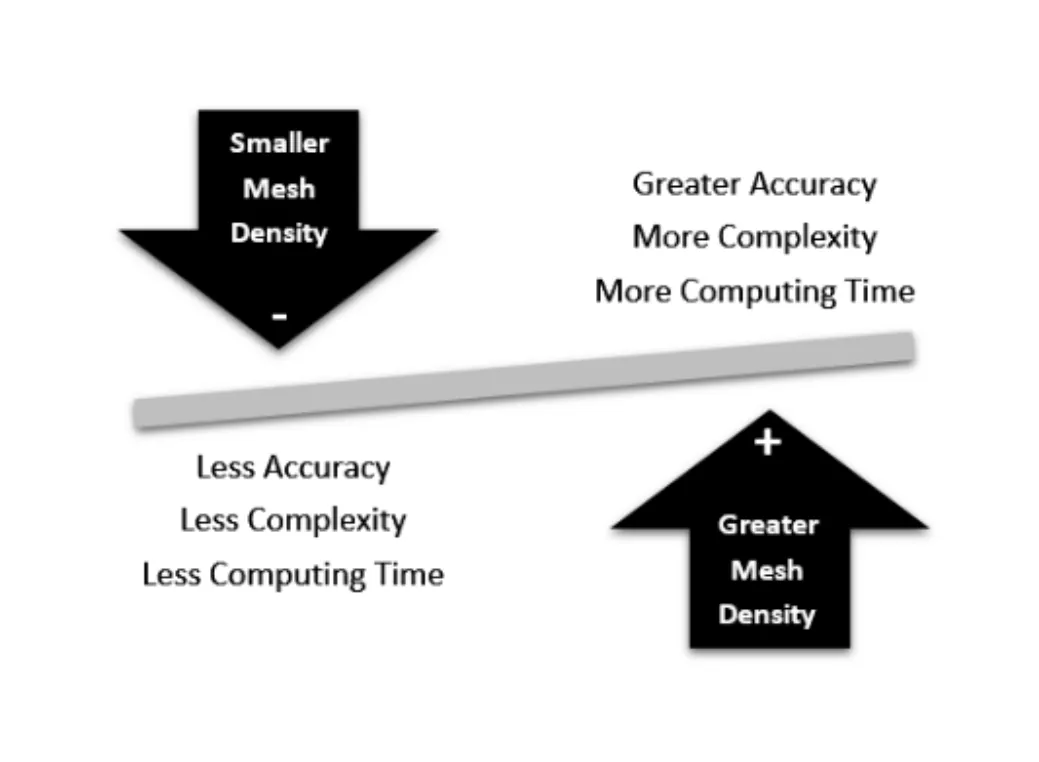
A smaller mesh density gives less accuracy, less complexity and less computing time. A greater mesh density gives greater accuracy, more complexity and more computing time: the computing time is proportional to the square of the number of degrees of freedom.
It does not make sense to increase computing time by a factor of 2 or 3 to improve the accuracy by 1%. The key is to know your problem well, to achieve accuracy where it is needed.
Mesh refinement techniques
- Global element size reduction
- Local element size reduction
- Increasing the order of the elements
- Manual mesh adjustment
- Global adaptive mesh refinement
- Local adaptive mesh refinement
- Mesh refinement by splitting a coarse mesh
Each method is detailed in Chapter 8 of the book and in the FEA Academy courses.
Convergence study methodology: why?
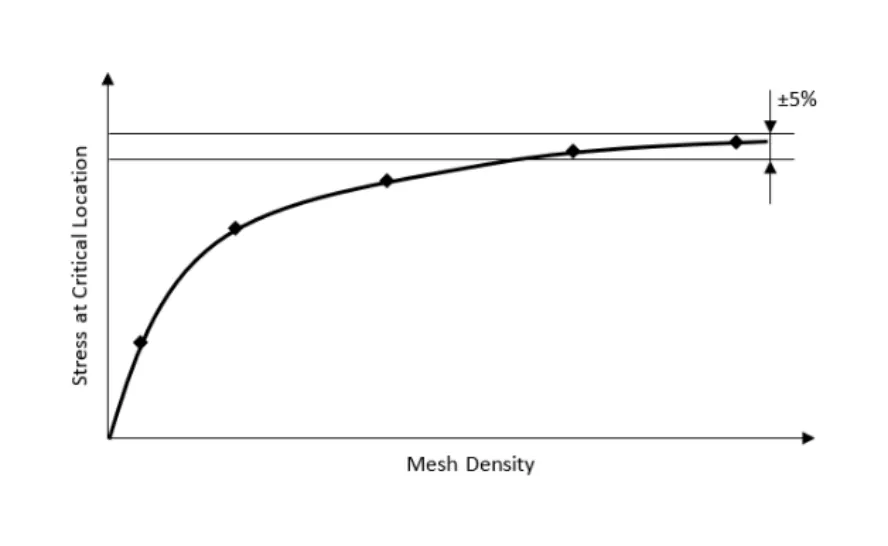
- From a numerical accuracy standpoint, a converged mesh is one that produces no significant differences in the result when mesh refinement is introduced.
- Mesh convergence is a concern when producing a model to capture peak stress or strain.
- A convergence study must be conducted for the regions of peak stress, to ensure that the mesh size is fine enough to correctly capture the critical stress.
Convergence study guidelines
- Your organization should maintain a database on mesh convergence applied to its domain of activity.
- A coarse mesh produces inaccurate results. Estimate the deformed shape of your structure for a given loading before running your model.
- Plan the convergence study.
- Demonstrate mesh convergence by refining the mesh between successive runs.
- Do not use the results of a convergence study from another model, except in the case of similar stress gradients.
- Identify the critical regions with a coarse mesh.
- Select the appropriate element types.
- Identify the smallest details that must be captured.
2D meshing rules
Why mesh in 2D instead of 3D?
- If a high-quality mesh is required, a shell mesh is easier to create than a solid one.
- A 2D model uses fewer resources (less RAM, disk space and CPU time), especially for nonlinear analysis and larger models.
- Rather than modeling the thickness with additional nodes and elements, 2D models capture the wall thickness as a mathematical value, resulting in fewer equations to solve.
- The thickness is easier to change, since it is a property of the shell element.
- Post-processing 2D elements is easier and faster than post-processing solid elements.
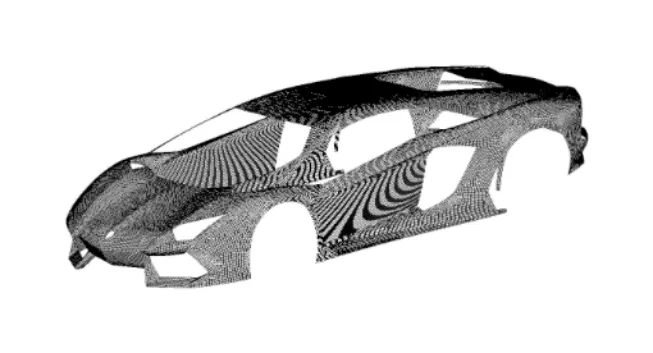
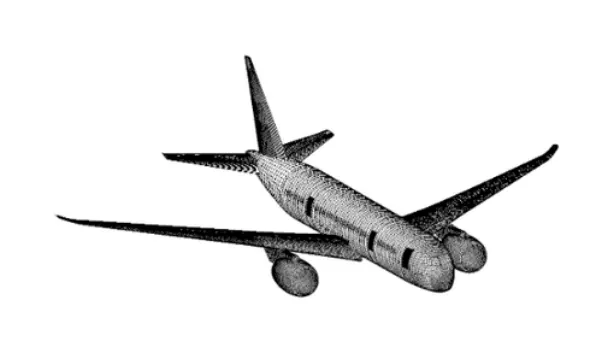
The four most common 2D meshing errors
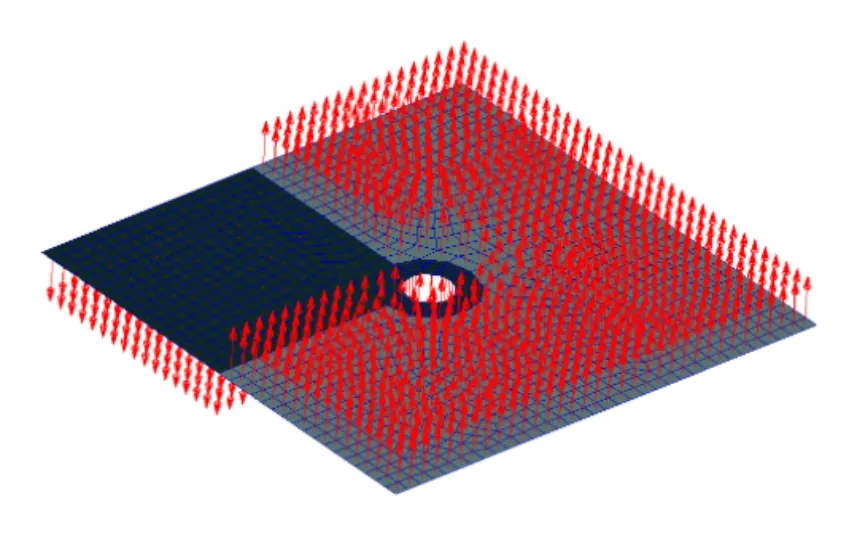
- Geometrical deviation (does not generate a fatal error)
- Wrong shell normal orientation (does not generate a fatal error)
- Free edges (can generate a fatal error)
- Duplicate elements (does not generate a fatal error)
3D meshing rules
Two methods of meshing a solid with tetrahedral elements
| Direct method | 2D-TRIA to 3D-TET method | |
|---|---|---|
| Description | Select the volume, and the pre-processing software automatically meshes it based on the element size. | First, a TRIA mesh is created on all the outer surfaces of the solid. Then, a TET mesh is generated from the TRIA mesh by filling the volume it defines. |
| Advantage | Quick | Good control of the number of nodes and of the mesh density in critical regions |
| Disadvantage | Very high number of nodes and elements. No control of mesh flow lines or of the mesh in specific regions (holes, radii, contact surfaces, and so on). | A TET mesh can be generated from a TRIA mesh only when there are no free edges (the 2D mesh must enclose a volume). |
Hexahedral meshing techniques
- The hexahedral element (also called brick or HEX element) has been used intensively by many organizations to mesh solid parts.
- Over the years, however, the algorithms of TET elements, especially quadratic elements (TET10), have improved significantly; the same accuracy can now be achieved with TET10 or HEX8 elements.
- There are still advantages in using brick elements. The main one is that a brick mesh generates far fewer elements and nodes than a tetra mesh (in the order of ½ for elements and 1/50 for nodes), which gives an enormous reduction in computing time and easier handling of the model in pre- and post-processing.
- The great disadvantage of brick elements is that meshing a complex solid with them is time-consuming and requires experience and patience, because brick meshing relies on manual commands: automatic hexahedral meshing is generally not available in pre-processing software.
How to make a mesh transition
Mesh transitions may be used to:
- Connect regions with different mesh densities
- Connect different element types, for example a beam element to a solid element
- Make the transitions required to model the geometry of the structure
To ensure your FEA produces good results, follow these two basic rules when a mesh transition is required:
- Never create a mesh transition in a region with a stress gradient.
- Never create a mesh transition in a region of interest.
A mesh transition is not a wrong modeling technique, but it must not occur near a region of interest.
Go further
This Book Byte is taken from Chapter 8 of Practical Finite Element Analysis for Mechanical Engineers by Dominique Madier. The topic is covered in depth, with worked examples, in the on-demand course Practical Basic FEA.
See the Practical Basic FEA course Take the free FEA diagnostic